MacOS How to reset Wifi Password
MacOS has one thing that makes me very crazy, when the wifi password is changed, it doesn’t always ask for a password again. I have to wait for a long time! In my client company, the password will be changed every month at 12 pm for cyber security.
At 12 o’clock… wifi suddenly disconnected, watching the wifi logo keep searching status, but not connected, And do not re-request the password!
Finally found a solution.
-
Open KEYCHAIN ACCESS

-
Search for your wifi hotspot in the upper right corner and right click on delete.
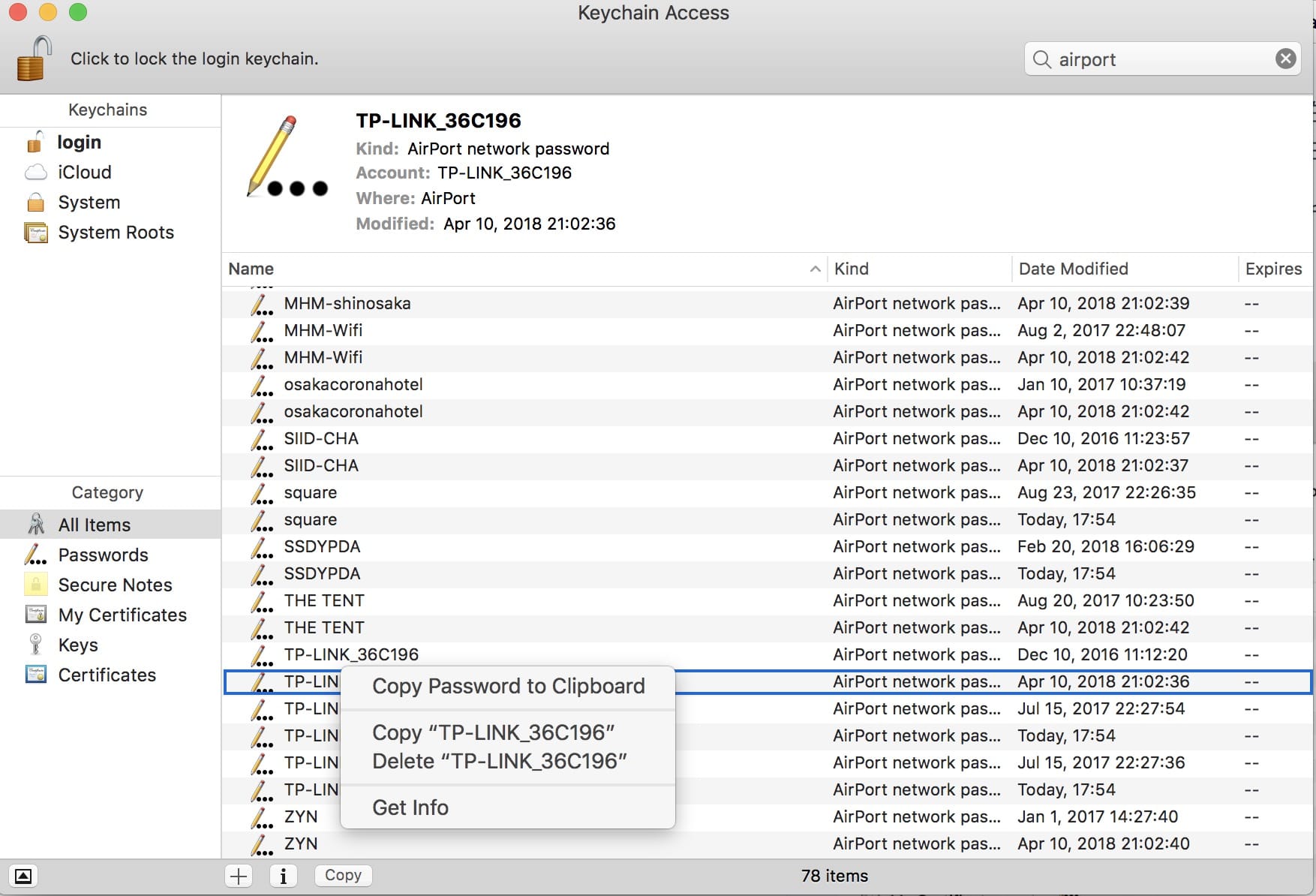
Try to connect your wifi again and it will immediately ask for your wifi password!